A TLS handshake failure means the client and server could not agree on how to protect a connection, so the connection was dropped before any application data moved. The cause is nearly always one of a short list: an expired or incomplete certificate, a hostname that does not match, no shared protocol version or cipher, a missing SNI value, or something in the network path interfering. This guide shows how to tell which one you have, how to fix it, and how to stop it from paging you at 3 a.m. again.
TL;DR
- A handshake negotiates a protocol version and cryptographic parameters, and a failure terminates the connection, sometimes with an alert first.
- The usual suspects are certificate problems (expired, wrong hostname, missing intermediate), version or cipher mismatch, SNI, clock skew, and middleboxes.
- A timeout is different from a rejection: nothing came back before the deadline, which often points to a firewall or network path rather than configuration.
- Find the failing stage first with
openssl s_client,curl --verboseand a bounded packet capture, then change one thing at a time. - Prevent repeats by watching certificate expiry, following current TLS guidance, and confirming outages from a second location before alerting anyone.
Table of Contents
- What happens in a TLS handshake
- Common causes of TLS handshake failures
- TLS handshake timeout: a different problem
- How to find which side is failing
- Fixes that work
- Preventing recurring failures
- Our perspective: a handshake failure is rarely a global outage
- Catch handshake problems before your users do
- FAQ
- Sources
What happens in a TLS handshake
Before your application sends a single request over HTTPS, the two sides run a short negotiation. According to RFC 8446, the TLS 1.3 specification, the handshake negotiates a protocol version and cryptographic parameters, can authenticate the parties, and establishes shared keying material. Once it completes, those keys protect application traffic. A handshake failure or other protocol error terminates the connection, optionally preceded by an alert.
In practical terms, Cloudflare’s explanation of the handshake breaks it into three jobs: agree on the TLS version and cipher suite, authenticate the server certificate, and derive symmetric session keys. If any one of those jobs cannot finish, you have a handshake failure.
The flow, simplified:
- The client opens a TCP connection.
- The client sends a ClientHello listing the versions, cipher suites and (usually) the server name it wants.
- The server answers with its choices and its certificate chain.
- The client validates the chain, hostname and dates.
- Both sides derive keys and switch to encrypted traffic.
A failure can happen at any step, which is why the same symptom can have very different fixes. Your application often never sees the real reason. It sees something generic such as “certificate verify failed” or “connection reset”, because the session never got far enough to log anything useful.
Common causes of TLS handshake failures
Apigee’s troubleshooting guide lists the standard causes: protocol mismatch, cipher mismatch, an incorrect certificate, and a client that cannot talk to an SNI-enabled server. F5’s guide adds secure-renegotiation options and client-certificate requests to the list of things that commonly break negotiation. Here they are, grouped by what you would check.
Certificate problems
These are the most common in production, and the most preventable.
- Expired certificate. The client rejects it during validation. Couchbase’s connection troubleshooting tells you to check expiry first.
- Hostname mismatch. The name you connected to must appear in the certificate’s Subject Alternative Names. The same Couchbase page covers SAN matching.
- Missing intermediate certificate. The server sends only its own certificate, not the chain. Some clients fetch the missing piece and some do not, so the site works in your browser and fails from a script. A Security Stack Exchange thread shows a related case where certificate order and content on the server caused a handshake failure alert 40.
- Unknown issuer. The client does not trust the CA. This is common with private CAs, or when a corporate proxy replaces the server certificate. Couchbase’s docs mention accounting for interception appliances for this reason.
Protocol and cipher mismatch
The client offers versions and ciphers the server refuses, or the server only allows ones the client lacks. Old clients that only speak TLS 1.0 or 1.1 against a hardened server are the classic example. HashiCorp’s Vault TLS errors article shows how server logs distinguish “unsupported versions” from “no shared cipher”.
SNI and virtual hosting
Many servers host several names on one IP and pick the certificate from the server name in the ClientHello. If a client does not send it, the server may return the wrong certificate or abort. Apigee lists this explicitly as a cause.
Clock skew
A machine with the wrong system time sees a valid certificate as expired or not yet valid. Palo Alto Networks includes incorrect system time among the common causes, next to version mismatch, restrictive cipher configuration, firewalls and security interception.
Network interference
Cloudflare’s ERR_SSL_PROTOCOL_ERROR page documents several causes beyond configuration: certificates that are not yet active or do not cover the hostname, cipher mismatch, TLS 1.3 incompatibility, HTTP/3 or QUIC network problems, and ISP, proxy, firewall, antivirus or deep packet inspection interference.
TLS handshake timeout: a different problem
A failure with an alert means the other side answered and said no. A timeout means the handshake did not finish before a deadline. Apigee defines it for a handshake between its Message Processor and a backend server, with an example default deadline of 55 seconds, after which a 502 may occur. In its 502 guide, backend firewall restrictions are named as a common cause.
That difference changes where you look:
| Symptom | What it usually means | Where to look first |
|---|---|---|
| Immediate alert (handshake failure, bad certificate, protocol version) | The peer responded and rejected your parameters | Versions, ciphers, certificate chain, SNI |
| Certificate verify failed | Your client rejected the server’s certificate | Expiry, SAN, intermediates, trust store, clock |
| Connection reset right after ClientHello | A device or server dropped you, sometimes a middlebox | Firewall or WAF rules, TLS inspection |
| Hang, then timeout | Packets are not getting through, or the peer is overloaded | Firewall allow-lists, routing, server load, TCP completion |
If TCP itself never completes, TLS is not your problem yet. Fix connectivity first.
How to find which side is failing
The handshake is mostly cleartext, so the failure is visible if you look in the right place. Work from the outside in.
Step 1: Decide which connection is failing
Apigee advises determining whether the failure is on the incoming or outgoing connection, capturing packets at the relevant client or server, and analyzing them with Wireshark or a similar tool. In a setup with a load balancer, proxy or API gateway, there are two handshakes, and they fail for different reasons.
Step 2: Reproduce it with a plain client
Take your application out of the picture. From a machine on the same network path as the failing client:
openssl s_client -connect example.com:443 -servername example.com
curl --verbose https://example.com/
The -servername flag matters: it sends SNI, which is what a browser does. Compare the result with and without it. Look at the protocol and cipher line, the certificate chain printed by OpenSSL, and the verify return code. If the chain has only one certificate, you probably have a missing intermediate.
To test version support, force one version at a time (-tls1_2, -tls1_3). Bindplane’s TLS troubleshooting guide recommends testing supported versions with OpenSSL and checking cipher compatibility.
Step 3: Capture the handshake
When the plain client does not explain it, capture packets. A tcpdump guide suggests pairing a bounded capture with curl --verbose or openssl s_client, then checking four things in order: does TCP complete, does the ClientHello leave, does a response or TLS alert come back, or do packets simply disappear? It also advises bounding and sanitizing captures, since they can contain sensitive data.
F5 recommends identifying the handshake stage first. Captures can reveal a ClientHello with a missing payload, protocol alerts, no shared parameters, or failures during the certificate and authentication exchange.
Step 4: Change the path, not just the config
If it works from one network and not another, suspect something between the two. Cloudflare recommends testing from a different network or through a VPN, temporarily disabling local security software, and collecting the exact error, browser and OS, network details and a diagnostic trace if you need to escalate. Restore any feature you turned off for the test, such as HTTP/3 or TLS 1.3. Do not leave weaker settings in place.
Step 5: Read the server logs
Server-side logs often name the reason that the client never sees. The Vault article above shows log lines that separate unsupported versions, no shared cipher, EOF and I/O timeout. Those four map to different fixes, so the log line is worth more than guessing.
Fixes that work
Match the fix to the cause you found.
- Expired certificate: renew and deploy it, then verify the served chain, not just the file on disk. Reloading the service is a step people forget.
- Hostname mismatch: reissue with the right SANs, or connect using a name that is covered.
- Missing intermediate: configure the server to send the full chain, with the server certificate first, followed by intermediates.
- Untrusted issuer: add the issuing CA to the client’s trust store. If a TLS inspection appliance is replacing the certificate, trust its CA or exempt the destination.
- Version or cipher mismatch: Bindplane’s advice is to use secure, broadly compatible defaults and to upgrade obsolete clients rather than lower production security settings. Re-enabling TLS 1.0 to satisfy one old client exposes everyone.
- No SNI: update the client library or set the server name explicitly.
- Clock skew: fix NTP on the client, then retest.
- Firewall or timeout: allow the source addresses on the backend, check that the port is reachable, and confirm the server is not saturated.
Preventing recurring failures
Most handshake outages in production are not mysterious. They are certificates that expired, chains that changed during a renewal, or a hardening change that dropped a version a client still used.
Start with a configuration baseline. RFC 9325, the IETF’s recommendations for secure TLS use, says implementations must support TLS 1.2, should support TLS 1.3 and prefer it when available, and that TLS 1.2 clients and servers must implement the renegotiation_info extension. For US government work or contractors, NIST SP 800-52 Rev. 2 is the implementation guideline: it requires TLS 1.2 configured with FIPS-based cipher suites and support for TLS 1.3 by January 1, 2024, and covers certificate validation and alert handling.
Then add monitoring that catches the two things you can predict and the one you cannot:
- Expiry. Watch certificate dates well before they lapse. We cover how in certificate expiry monitoring.
- Change. After every certificate rotation, load balancer change or TLS policy update, run a check from outside your network.
- Reachability. An HTTPS check against the real endpoint fails when the handshake fails, so it catches version, chain and firewall regressions that a date check cannot. For design advice, see our guide to API uptime monitoring.
Our perspective: a handshake failure is rarely a global outage
We run monitoring for a living, and the pattern we see in the field of production operations is that handshake errors are noisy in a particular way. A single failed handshake from one location can be a dropped packet, a congested route or a middlebox having a bad minute. Paging an engineer for that teaches them to ignore the pager.

That is why Uptime Beacon opens an incident only after several failures in a row, confirmed from a second location on paid plans. If the handshake fails from EU Central and also from US East, it is probably your server or certificate. If it fails from one region only, it is probably the path, and that is useful to know before you start changing server configuration at night.
The second half of the work is diagnosis. Reading region-by-region check history by hand is slow. On every plan, including Free, you can connect an MCP-capable assistant such as Claude, ChatGPT, Cursor, VS Code or Codex to our MCP endpoint, sign in without an API key, and ask it to read the failing monitor’s history and compare regions. It cannot delete anything, and it can only change monitors, such as pausing one or starting a maintenance window, if a team turns on “Allow changes”. Our founders have more than 30 years combined running production in banking, fintech, telecom and SaaS, and the lesson from that time is simple: alert on confirmed failures, and make the evidence easy to read.
— Aaditya Parashar
Catch handshake problems before your users do
Uptime Beacon checks HTTP endpoints, TCP ports and hosts from five regions, watches certificate and domain expiry, and keeps status pages running even when the dashboard is not. The Free plan costs €0 per month with no card: 5 monitors every 5 minutes from EU Central, one alert channel (email or Slack) and one status page. Starter is €14.99 per month, Pro is €39.99 and Business is €89.99, with Enterprise available without a published price. Extra certificate or domain expiry watches are €5 per month for 10 more.
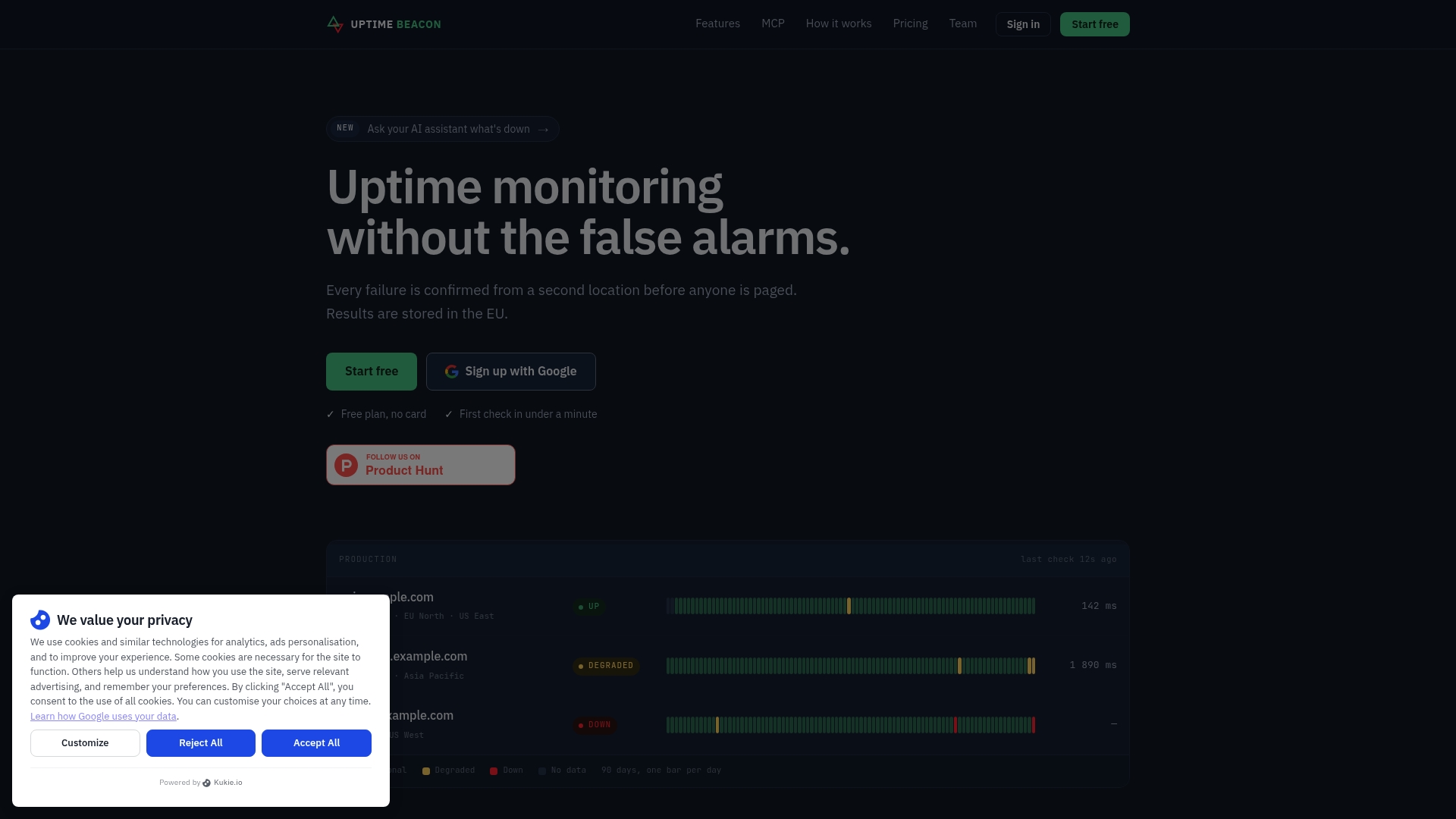
You can start on the Free plan and add a monitor for your most important HTTPS endpoint in a few minutes. If you run APIs and background jobs, our page on API and cron monitoring for SaaS teams shows how the pieces fit. Results are stored on a control plane and database in the EU.
FAQ
How do I fix a TLS handshake failure?
First find the stage that failed: run openssl s_client -connect host:443 -servername host and read the verify result, protocol and chain. Then fix the matching cause, such as renewing an expired certificate, sending the full chain, or aligning versions and ciphers. Change one thing at a time and retest from a clean client.
What does it mean when a TLS handshake fails?
The client and server could not complete the negotiation that sets up an encrypted connection, so the connection was terminated, sometimes after a TLS alert. No application data was exchanged. The reason may be on the client, the server or something between them.
What is the difference between a handshake failure and a handshake timeout?
A failure usually means the peer answered and rejected something, such as a version, a cipher or a certificate. A timeout means no completed handshake arrived before the deadline, which often points to a firewall, a routing problem or an overloaded backend. Check that TCP completes before you look at TLS settings.
Why does my TLS handshake work in a browser but fail in a script or API client?
Browsers repair some problems that simple clients do not. A missing intermediate certificate is the typical example, and an older library that does not send SNI or only supports old TLS versions is another. Reproduce with openssl s_client and compare the chain it prints with the one your browser trusts.
Should I enable older TLS versions to fix a failing client?
Not as a standing fix. Upgrade the client where you can, and if you must test an older version, do it temporarily and restore the secure settings afterward. Current guidance such as RFC 9325 calls for TLS 1.2 support at minimum, with TLS 1.3 preferred.
Sources
- RFC 8446: The Transport Layer Security (TLS) Protocol Version 1.3
- RFC 9325: Recommendations for Secure Use of TLS and DTLS
- NIST SP 800-52 Rev. 2: Guidelines for the Selection, Configuration, and Use of TLS
- Cloudflare: What happens in a TLS handshake
- Cloudflare: Troubleshoot ERR_SSL_PROTOCOL_ERROR
- Apigee Edge: TLS/SSL handshake failures
- Apigee Edge: 502 Bad Gateway timeout
- F5: Troubleshooting SSL/TLS handshake failures
- Palo Alto Networks: What is the TLS handshake
- Couchbase: Connection errors
- Bindplane: TLS troubleshooting
- HashiCorp: Vault TLS errors
- Simplified Guide: Troubleshoot TLS handshakes with tcpdump
- Security Stack Exchange: TLS handshake failure (40)


